Monday, June 8, 2020

Integrated Arts Assignment

A teacher's day is filled to capacity each and every day.  Anytime there is a way to integrate subject areas that is definitely a win in my book.  While reading about Integrated Art, PE, and STEAM it made me think about things that I'm doing in my classroom as well as things I'm neglecting that are crucial in students' educational day. 
Honestly, in my mind, art is typically just drawing and coloring but I've realized it's a lot more than that.  Art is letting the students show their creativity in all subject areas.  When the students can create something it helps their success level and can keep discipline down.  If teachers or schools' curriculum doesn't have integrating arts some recommendations are to look into professional development that will assist them on implementing it as well as reaching out to other schools that are successful with this way of teaching.  Integrating art works great with STEAM and PBL because it lets the students collaborate, have differentiated instruction, and develop problem solving strategies that will build career readiness.  NAESP suggests that educators integrate art by doing these three things: 1) collaboratively engage students in open ended problems that are relevant to their lives, 2) address standards from each of the cross-curriculum disciplines, and 3) have students practice the design process, which includes multiple assessments, redesigns, and communication for continuous improvement. 
Not only can we integrate art into academics, but we can also integrate academics with PE.  PE teachers and classroom teachers can work together to integrate subjects into their PE time.  For example, a 2nd grade standard in skip counting.  While students are doing their excises, they can skip count instead of counting by ones to work on this important life skill.   It's important for the classroom teacher to communicate with the PE teacher as well as administration making sure the right things are happening in the gym.  Like teachers, PE teachers are required to have written curriculum, structured lessons, actively involved students, and meaningful objectives and outcomes for all students ability level as well as small groups.  PE is not disengaged students and only athletic students playing games, everyone can participate.   PE teachers are responsible for teaching physical movements as well as helping the students gain knowledge to live a healthy life. 
STEAM is providing an opportunity for students to be actively involved by being engaged, exploring things, explaining, evaluating, and extending their learnings.  STEAM prepares students to work in today's society.  Teachers need the opportunity to be STEAM teachers by participating is professional development, collaborate with other teachers to align standards with activities, and plan lessons to implement the strategies.  According to Institute for Arts Integration and STEAM, there are six steps in creating a STEAM-centered classroom.  The six steps are focus, detail, discovery, application, presentation, and link.  First, focus is the essential question that will drive your instruction.  Next is details, which are the elements that will help you answer the essential question.  Then you move on to discovery, which is student research and the teacher facilitates.  Now the students go on to the application part which is where they begin creating their design.  Once their creation is complete, the students will present their work.  Finally, is the link step.  Students will reflect on their work and make improvements where needed.  Ultimately, teachers should strive to implement STEAM into their classrooms.  Let's get away from quiet, textbook reading and get into classrooms that are full of students collaborating, problem-solving, being creative, and reflecting on their own learnings. This is  the 21st century way of teaching and we must implement ways for students to be successful as well as college and career ready. 

References:

Institute for Arts Integration and STEAM. https://educationcloset.com/what-is-steam-education-in-k-12-schools

Watson, A. (2017). What is STEAM and Why Does It Matter?  https://www.naesp.org/communicator-october-2017/what-steam-and-why-does-it-matter


Thursday, June 4, 2020

21st Century Tools ~ Module 3

Kahoot Logo.svg

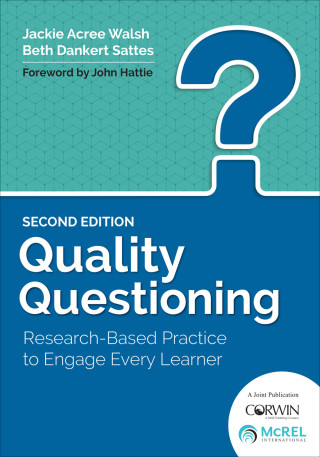
While reading Quality Questioning by Jackie Acree and Beth Dankert Sattes, they mentioned a technology tool to use with questioning called Kahoot!  I've never used it but was interested to see what it was about.  Once I searched the app I was hooked!  Kahoot! is learning games and quizzes that is fun and engaging for any subject, any age, and any language. Teachers can log in and make quizzes for their students which is a great way to include quality questioning.  There is freedom in your questions so teachers could include different DOK questions to get the students thinking. The students can use chromebooks, ipads, and phones to play this app.  Teachers or parents can go to www.createkahootit.com to create an account.  Once that is done, students will go to www.kahoot.it put in a pin and start playing.  They can play games, take quizzes made by teachers, and much more all while earning points and being actively engaged in learning.  I've put this tool on my to-do list to get for the upcoming school year.


bubbabrain


While on Twitter, I came across a site that is called bubbabrain. Bubbabrain is an interactive website that is in game form for any subject as well as grade levels from elementary age to college.  Once you go to the website choose your school level, academic area, choose a game skill, and begin playing.  The games are on a game board format.  A question is posed then you choose the answer then another question comes up behind that until the board is empty.  This can tie into our learnings of quality questioning because it's getting you thinking about the questions being asked.  The cool thing about it is that if you have a student that is performing above or below average they can choose what level.  The higher level you go the more higher-order thinking and questioning there will be.  Students of all ages will be able to use this website with basic technology knowledge.  

Follow them on Twitter: twitter.com/bubbabrain 


Miro Board

Using a Miro board was something new to me.  I was able to use the Miro board by typing in thoughts or using sticky notes to make note of important details from each chapter in Quality Questioning.  I was able to add on extra words or thoughts that went with certain statements within the board by using different kinds of arrows.  I used special lines and shapes to make me aware of important items to go back to look at when writing my responses in my blog.  Using a Miro board kept all of my thoughts neat and organized. 

https://miro.com/app/board/o9J_kr73Dx0=/


Word Cloud ~ Quality Questioning Chapter 4

Here is my word cloud for chapter 4 in Quality Questioning.  I used www.wordart.com to create the word cloud.  Creating a word cloud was fun to create as well as easy for any level of technology knowledge that a student or adult may have .  The choices are endless which will allow you to show your personality and creativity.


Quality Questioning Responses Chapters 1-5

Continue Reading

Chapter One: Setting the Stage, What is Quality Questioning?

From the chart on page 9, how will you commit to this cycle of questioning for your future classroom? Why? Justify your answer.

Quality questioning is a process that focuses on attention, stimulates thinking, and has an outcome of gaining an abundant amount of knowledge.  Quality questions prompt students' thinking and allows them time to reflect on their learnings.  
Image 7

By using the above cycle of questioning, the questions will the lead the students into reflecting on listening, thinking, and speaking as well as being in control of their learning.  Personally, I will be more aware of providing a learning community that makes the students feel confident in their learnings and always willing to ask questions for a better understanding.  Dialogue with my students need to remain open so that all of my students have the opportunity to learn, make connections, and deepen their knowledge.  

Chapter Two, Prepare the Question: What Are the Distinguishing Features of Quality Questioning?

Explain how you might use this rubric in designing lessons and assessments in future work

Using this rubric will be beneficial in creating quality questions for lessons and assessments.  I will use this rubric to aim for 3s with the end in mind.  The rubric will help me be more aware of creating DOK 3 and DOK 4 questions within my lessons and assessments.  Always keep the students ability level in mind.  Our goal is to deepen their knowledge.  We still need who, what, and when questions but definitely need to be mindful of moving towards why, how, and explain.  

Chapter Three, Present the Question: How Can Teachers Involve All Students in Thinking and Responding?

As you review the Alternative Response section beginning on page 86, which response ideas most resonate with your teaching style? Describe how you will implement these in your future classroom.

The response styles are choral response, signaled response, work samples, and using apps as well as other technology tools.  While reading about the alternative responses, the one that resonates with my teaching style is work samples.  When teaching phonics, I use Phonics First and there is a lot of opportunities to show work.  My students use a dry-erase board and marker or notebook to dictate words and sentences that I say.  Once the phonics skill is taught, it is I Do, We Do, then You Do when writing words.  The You Do (students) part is I will say a word and the students will write it.  This is how I check for understanding as well as observe which students may need any extra help with a skill.  Being able to see work instantly written, leads my instruction for the next day as far as how extensive do I need to review or for those students who may need extra work in a small group setting. 

Chapter Four, Prompt Student Thinking: How Can Teachers Assist Students in Making Connections

As you look at the poster, think of classrooms you've been in or lessons you've taught. Consider how establishing these norms could impact student learning. Now bring your thinking to your future classroom. Explain how you might set these norms in your own teaching.

Figure 38
The Think 1-Think Time 2 poster is powerful.  Teaching this think time strategy is extremely beneficial for all students.  Teaching these norms could impact student learning in many ways.  It teaches the students how to listen not only to their teacher but to their classmates as well. If students take the time to think about their response it will be more informational and less of just an answer.  These norms give students the opportunities to have dialogue with classmates whether they agree or disagree with their thoughts.  These norms are appropriate for all levels of learners if the teacher commits to the process.  The knowledge gained from these norms can be endless.  

The teacher's role in using wait time is simply waiting.  The teacher needs to give his or her students ample time to get their thoughts together after the question in posed.  The teacher needs to create a safe learning environment so the students will feel comfortable when speaking.  The teacher needs to be respectful and positive with student responses.  

Probing to elicit for deeper responses for students in grades P-12 is beneficial because it broadens their thinking.  Once the students respond to a question, teachers can say "tell me more", "why do you think that", "can you add anything to that", and more.  Teachers need to be aware to probe in a kind, respectful way so the students feel comfortable and willing to keep talking.  

Wait time is critical for many reasons.  Teachers need to allow ample wait time so students can get their thoughts together and have a clear response.  If teachers rush them, then they'll just give an answer and not dialogue.  When teachers allow wait time the students provide clearer responses, less likely to respond "I don't know", and can provide evidence for their response.  By the students giving better responses, this allows the teacher to probe less and use extra time to ask higher-order thinking questions instead.  

Chapter Five, Process Responses: How Can Teachers Use Feedback to Deepen Student Thinking and Learning?

Review the charts on page 150-151. Which of these responses do you think will prove most challenging in your classroom? Explain how you will purposefully implement this challenging approach. 
Figure 43

Student response revealing a gap in student knowledge is challenging to me in my classroom.  As the teacher, I need to provide correct feedback and pose questions in order to help students develop a better understanding.  Depending on the dialogue taking place, there may need to be additional teacher support in helping the students get a better grasp of the concept in a small group setting.  I'm going to make myself more aware of scaffolding with my students.  I've always thought this will take a good amount of time to incorporate but realistically it's whats best for the students.  Give your time and energy to get to know your students so they will feel comfortable in having dialogue with their teacher and classmates.  

Wednesday, May 27, 2020

Module 2 ~ 21st Century Tool ~ Socrative Seminar Model

Socrative Seminar Model is teaching the students how to have dialogue with their classmates.  The teacher gives information to the students that will prepare them to have dialogue about a specific topic for the upcoming days.  Once the students have prepared then dialogue starts and the teacher facilitates by asking questions.
Unfortunately, not all learners can participate in dialogue situations for various reasons which include students that are ELL learners, learning disabilities, ADHD, Gifted, as well as being too shy to participate.  In order to help these struggling students, I read that students can blog (writing instead of speaking) so they can still participate in the lesson at hand.
After doing a Google search on blogging sites, I came across Tumblr.  It's a free blogging website that students can create a blog account.  It's as easy as signing up and designing your page.  Once the set up is complete, the students can begin writing their thoughts instead of speaking them in a face to face setting.  Students can reply back and forth with text or if they are wanting to show off their technology skills they can add photos, links, art, videos, and so much more.  All students should be given the chance to participate no matter of their struggles when learning.  Using Tumblr is a great tool to use so that all students can feel successful.

Go to www.tumblr.com to check it out!


Implementing a High-Impact, Critical Thinking Process in a Learner-Centered Environment

When I think of a high-impact, critical thinking, and learner-centered environment I automatically see actively engaged students in the classroom.  The students are collaborating, researching, problem solving, and sharing their progress/solutions with stakeholders.  The teachers are being facilitators and providing the standards that are needed to master a skill. 
 I've seen this type of classroom in a Kindergarten setting.  The teacher designates every Thursday as her Mad Science Thursday.  During this time, students are engaged in hands-on science experiments.  The students are able to observe , make hypothesis, and record their thinking.  The students have the opportunity to generate ideas, make decisions, learn new vocabulary, draw conclusions, and explain their findings all while engaged in the Science activities with every day materials.   The weekly experiments provide multi-sensory and hands-on learning all while discovering how to be better problem solvers, critical thinkers, and build communication skills.  
Teachers need to incorporate more DOK 3 and DOK 4 questioning within their lessons.  Let's focus on the process not product .  Give the students input and choices which all align with standards.  Ultimately, the educators end goal is to create life long learners and prepare our students for real world situations.  

Friday, May 22, 2020

21st Century Tool Review - Khan Academy

While searching Instagram for 21st century tools, I came across a post on Khan Academy.  Khan Academy is a website that can be used in the classroom or at home.  It's a free tool that is beneficial for teachers, students, and parents that focus on many content areas.  For the classroom, the teacher can assign content that is needed to practice by referring to student data.  The teacher can assign work for individual student needs.  Not only can the student work on this at school, but it's available at home as well.  The student can type in any specific skill that is needed to be practiced and/or of their choice and there are many options available.  Khan Academy has videos that you can watch to get a better understanding of a skill.  Once the student finds the skill needed, they can click on the practice links and begin working.  In order to use Khan Academy, the students need to be able to find the content that is needed, click in a box to type in answers or be able to click a bubble for multiple choice answers, and click the next button to move on.  The students get immediate feedback on their work.  I'm thrilled to be able to use this in my classroom this upcoming school year.
Here's the link to check it out. 

https://www.khanacademy.org


M1P3-TPACK and 21st Century Tools

Technology Pedagogical Content Knowledge is known as TPACK.  TPACK is a taking the traditional way of teaching and gearing it up to use technology to teach content.  Technology is changing quickly so it's important for teachers to expand their TPACK often.  Teachers need to learn new tools to keep up with the 21st century way of teaching.  When thinking about your level of TPACK, you need to identify your strengths and weaknesses in using technology in the classroom.  Once you know where you need to grow then get enrolled in professional development and join learning communities. The learning communities will consist of other teachers who are learning and needing to grow in the same areas of you.  It's a great way to collaborate and learn from others.  Teachers need to be educated on how to recognize the pedogogy (how we teach), content (what we teach), and technology (tools that we use) in order to create the TPACK package of teaching with technology. 

While reading about 21st century tools, I realized I'm currently doing some of them in my classroom.  Teachers need many choices when providing instruction in the classroom.  When you're planning how to use technology in your classroom you need to focus on is it efficient, effective, and engaging.  With efficient, is the tool worth our time to prepare it, the energy to prepare and teach the concept, and is it worth the money if you are having to pay for it out of school funds.  Our tools need to meet the standards that our students need.  With effective, are the tools that you are providing allowing the students to be successful with the task?  It needs to be meaningful and relate to the standards that are being addressed.  Last, are your tools engaging?  Keeping the students attention is vital in teaching and learning.  Twenty-first century tools continue to grow quickly therefore educators need to develop themselves professionally and implement the tools for instruction and student use. 


Thursday, May 21, 2020

Evernote Strategy

Using the Evernote tool was something new to me.  I use technology mainly for researching, creating documents, and using apps.  I didn't know there was a note taking tool like Evernote.  It has impacted my learning is several different ways.  First, I was able to pull up Evernote on one screen and listen to my digital text on another.  It was great to be able to type notes as I was listening.  I'm an "old school" note taker which means I like to take paper/pencil notes.  Welcome to the 21st century way of taking notes.  Second, Evernote impacted my learning by being to be able to copy and paste important text onto my notes screen then add my own notes in a different color font to elaborate on the text about things I felt was important and real life experiences with that specific topic. It is going to be helpful when I have to go back and use my thoughts to put into a word document and I'm not having to remember all of my thoughts that I probably wouldn't have remembered at that time.  Finally, Evernote impacted my learning by keeping my notes organized and neat.  At times, my notes become sloppy and I can't read my own writing.  I'll definitely be using it with other college courses to keep up with my thoughts instead of using my paper/pencil strategy.

As I was using Evernote I was thinking of ways I could use this tool in my classroom.  One way I could use it would be to share notes with my students' parents on how to do a specific skill.  I could write down the steps to a math problem on a piece of paper, take a picture of it, then share it with the parents.  This is a great way for parents to see an example of how to complete a certain task while at home working with their child, especially if the child is having difficulty or the parents don't remember how to do a skill.   Another way I could use Evernote in my classroom would be to take anecdotal notes and observations of students for the day.  I could make notes of students that struggle with certain skills so I could work with them the following day in a small group setting.  I could also use it to keep observation notes on student behaviors if problems arise.  The notes will be useful during a parent/teacher conference so I won't forget anything that may be important for the parents to know about their child.  Last, I could use Evernote for all of my to-do lists that goes along with being a classroom teacher.  I'm on my to be a better 21st century teacher.


What is 21st Century Teaching and Learning?

Twenty-first century teaching and learning starts with a safe, warm, and loving environment in the classroom.  It will provide students the opportunity to explore, create, and develop their learning, literacy, and life skills.  It's important to empower students to be diverse learners, creative thinkers, problem solvers, as well as promote self direction.  Students engage as stakeholders in their own learning through the use of technology, collaboration, and hands-on learning.  Twenty-first century teaching means that technology is utilized in every lesson and students receive instruction that is built for them specifically.  We can immerse students in more technology but keep the foundational skills alive to build that solid foundation on within all academic areas.  We are teaching students for a world that is changing faster than students can master standards.  Twenty-first century teaching is teaching with meaning that will ultimately give the students a purpose for learning and how it relates to real world experiences. 

Twenty-first century learning involves a lot of questioning and critical thinking.  Learners should expect to investigate and be able to defend the conclusions they come to.  Twenty-first century learning is an abundant amount of collaboration within the classroom.  The students are given diverse experiences in digital literacy, critical thinking, and problem solving skills so they can function in a global society.  In the 21st century, there has been a big shift to student led learning.  Classrooms have transitioned into problem based and project based learning which in turn develops into collaboration skills for everyone.  With 21st century learning, it's imperative that teachers monitor student learning with formative and summative assessments to show mastery of standards.  Teachers need to let student data drive their instruction to ensure the students are successful in all subject areas. 

Twenty-first teaching and learning is technology, discourse, collaboration, problem solving, and so much more.  The learning and thinking has to be owned and driven by the student not the teacher.  Student-centered classrooms are hands-on activities, talking, and researching with the teacher being the facilitator and providing guidance.  Twenty-first century teaching and learning has changed our classrooms with a click of a button.  Nowadays, schools have transformed their dry-erase boards to smartboards, which functions as a large, interactable classroom computer.  Most classrooms are equipped with ipads, nooks, chromebooks, and laptops so students can be educated how to properly use the devices in real world experiences, as well as classroom activities.  Ultimately, the goal of educators in the 21st century teaching and learning is to provide a safe environment that instills collaboration, great problem solving skills, and life-long learners in today's society. 

Monday, May 18, 2020

21st Century Tool


The following link is a digital tool that I reviewed for parents and students to become more aware of internet safety.

https://www.safesearchkids.com/internet-safety-tips-for-kids/#.XsLdaWhKjIW

I did a Google search on internet safety for kids and read through several of them before choosing safesearchkids.com.  There were several parts of the website that caught my attention but it was the layout of the topics that are constantly talked about in my home with internet safety that made it stand out to me.

The purpose of this tool is to provide information for parents and students with internet safety.  It provides information for parents and students concerning social media, cyber bullying, how to have open conversations with your children, and how social media can make you feel, along with many other topics.  All links are easily accessible to the specific area of concern that a parent or child may have.  Each topic is an easy read and is explained thoroughly so the audience can understand whats being said.  My favorite part of this tool is that it has a kid search area.  The child can type in an item to search and it brings up websites that are only for children and provides a lot of information.

This tool aligns with the 5th grade standard of the student will identify appropriate and inappropriate use of communication technology and discuss the permanence of actions in the digital world.

Wednesday, May 13, 2020

My First Day

 Ready or not it's here.....my first day of graduate school.  I'm so proud of myself for taking this leap to further my education.  I'm thrilled to be a JSU Gamecock!

Here's day one assignment.  Using a digital collage in the classroom


Creating a collage is a fun way to express your creativity.  I've created many collages for my personal use but I've never explored letting the students create a digital collage in my classroom.  Using this tool in the classroom would be beneficial in many ways.  The students could create a collage to show what they've learned at the end of a study in Science or Social Studies.  Other ways in using this tool in the classroom could be to show key details in a story or simply creating a collage to tell about yourself using pictures and images of your family, hobbies, and dreams.  Another way to use this tool in the classroom would be to create a picture collage that would conicide with a fiction or nonfiction story.  Using a digital collage tool in the classroom can build technology confidence in those students who aren't comfortable with technology skills yet.  In my opinion, this tool could be used with any academic project that is assigned by the classroom teacher and would be beneficial to any student no matter of their academic level.  I used Pic Stitch for my collage.  It was easy to download as well as easy to create my image.   I foresee me using this app in my classroom.